Streaming Chat
Desktop chat UI with streaming responses, thinking blocks, and inline tool output. Syntax-highlighted diffs, ANSI-colored bash output, and rich file rendering.
The native desktop app for Kata. Streaming chat with a contextual planning pane, workflow kanban, and built-in Symphony orchestration — all backed by the same agent runtime as Kata CLI.
macOS · Windows · Linux · Open Source (Apache 2.0)
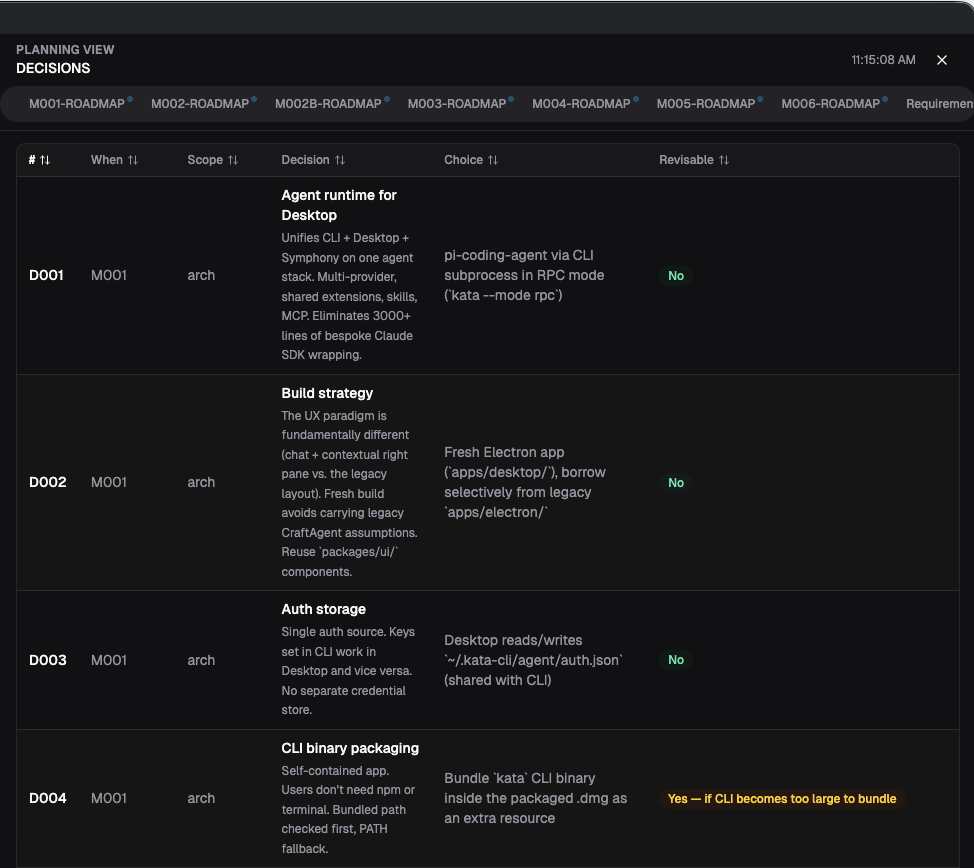
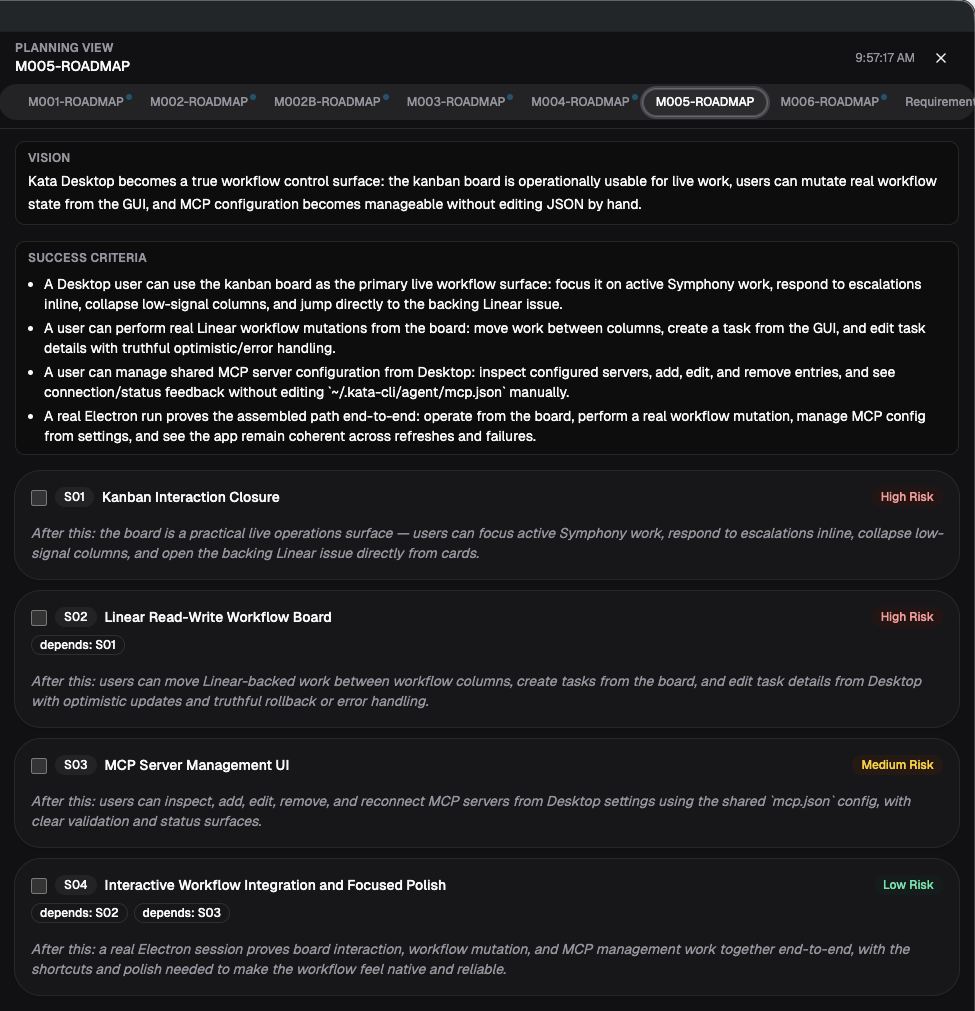
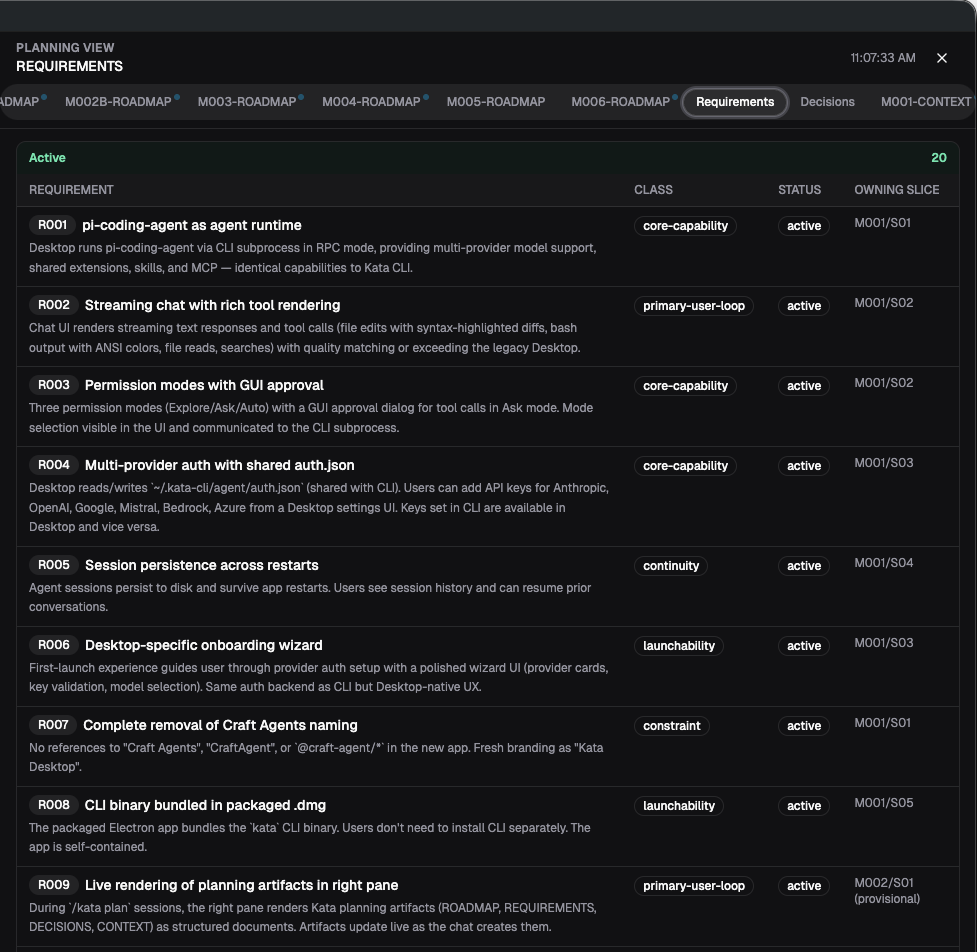
Run /kata plan and the right pane fills with live
artifacts — milestone roadmaps with ordered slices and risk levels,
architectural decision records, and requirements traceability. The
agent builds the plan; you review and steer from the same screen.
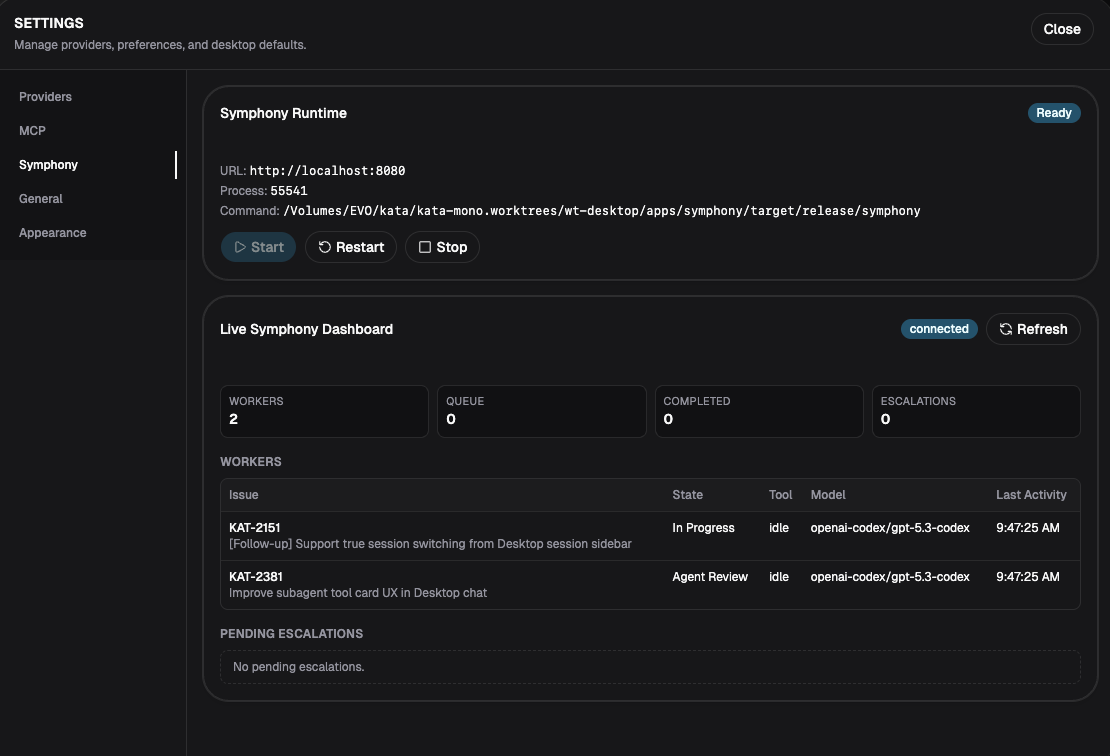
Start, stop, and restart the Symphony headless orchestrator directly from Desktop settings. The live dashboard shows active workers processing Linear issues, queue depth, completed tasks, and pending escalations — answer agent questions without leaving the app.
Desktop chat UI with streaming responses, thinking blocks, and inline tool output. Syntax-highlighted diffs, ANSI-colored bash output, and rich file rendering.
View ROADMAP, REQUIREMENTS, DECISIONS, and CONTEXT artifacts in a contextual right pane. Documents update live as the agent creates them during /kata plan sessions.
Track milestones, slices, and tasks in a kanban board backed by Linear or GitHub. See active work, dependencies, and execution state at a glance.
Start, stop, and restart the Symphony orchestrator from Settings. Live dashboard shows workers, queue depth, and pending escalations — respond to agent questions directly.
Three levels of agent autonomy: Explore (read-only), Ask (approval dialog for each tool call), and Auto (full autonomy). Switch modes per-session from the toolbar.
82 sessions deep and counting. Create sessions, switch between workspaces, and resume work from persisted conversation history — scoped to each project.
Desktop runs the Kata CLI agent runtime via kata --mode rpc.
Same extensions, same skills, same MCP servers. Keys set in CLI work
in Desktop and vice versa.
Download Kata Desktop and start working with structured AI agent workflows.